Browser Tools
Seating Chart
Plan classroom layouts and randomize seats with attendance, groups, and placement constraints.
Overview
A browser-based classroom planning tool with separate classes, reusable layouts, and table or grid seating. Student lists and layouts are saved in this browser on the website’s origin.
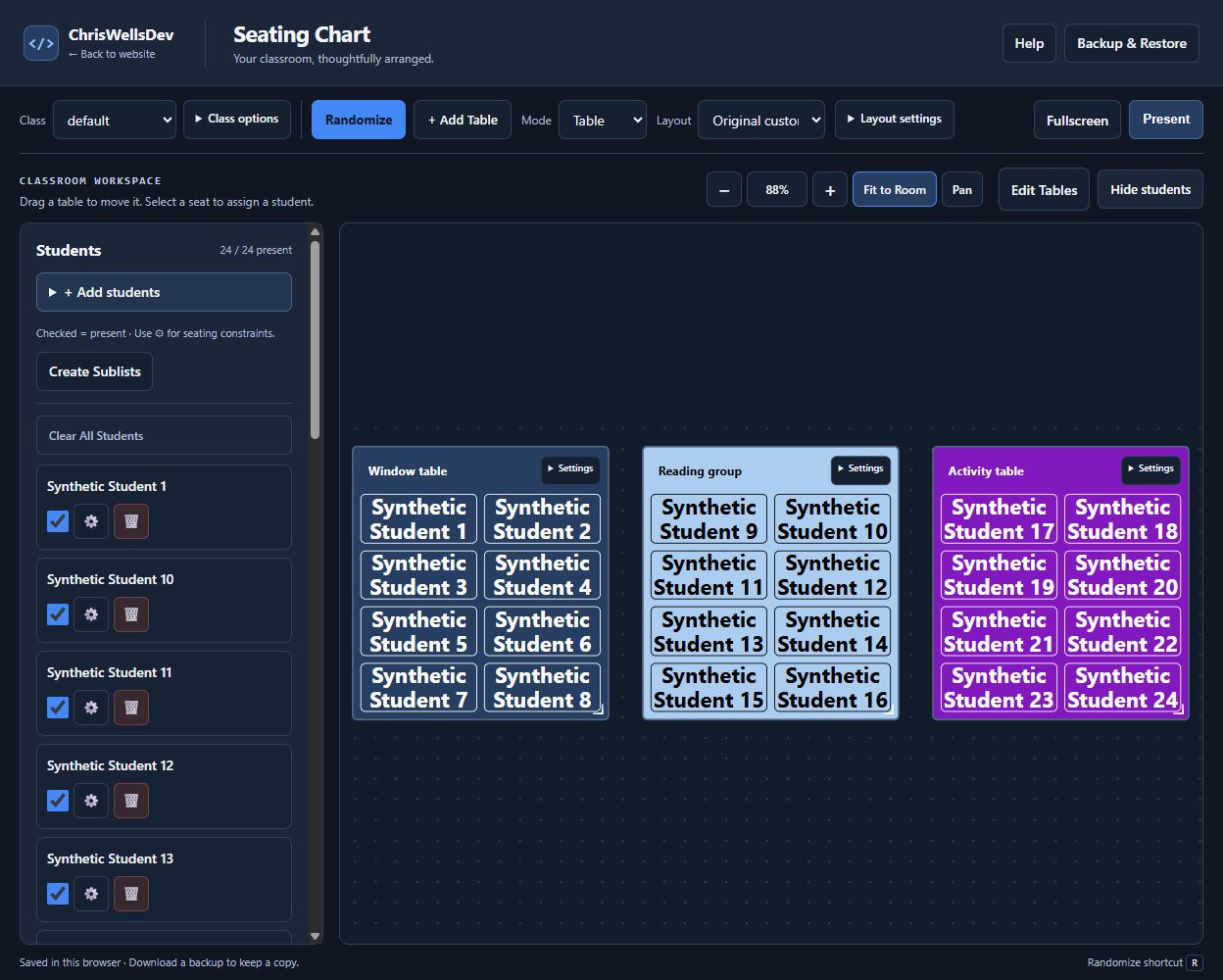
Key features
- Manage multiple classes, student sublists, and attendance.
- Create, name, color, move, and resize tables with one to eight seats.
- Configure grid rows, columns, spacing, and aisles.
- Randomize seating with seat locks, table locks, and student separation constraints.
- Save shared layouts and use fullscreen classroom presentation.
- Zoom, Fit to Room, Pan, and explicit touch table editing without changing logical room coordinates.
- Download current classroom backups, verify files without restoring, and review imports before confirming a restore.
How it works
Room geometry and viewing scale are separate: zoom and Fit to Room change the view without changing saved table positions. Classroom records stay in this browser, with current backups, an opening safety copy, file verification, and confirmed restore available for data protection.
How to use
- Open the tool and choose or create a class.
- Paste names one per line, then configure tables or a grid.
- Set attendance and placement options before randomizing seats.
- Save a layout for reuse, then download a current classroom backup after making changes.
Project notes
Saved data stays in the browser where it was created. A different browser or domain has separate data.
The existing tool opens at its original URL; this showcase does not read or write classroom data.
Fullscreen shows the classroom; Present is a separate display mode. Press R to randomize when focus is outside text entry.